Design machine vision from blocks. Run it on your own PC.
ENCV finds defects, counts and measures, and scores every image against what it learned from yours. Wire it to a PLC and it runs an inspection line; point it at a microscope and it does the same work on a bench. You train it on your own pictures, and they never leave the machine.
Free during the beta · Windows 10 or 11, 64-bit
Show it good parts. It flags the rest.
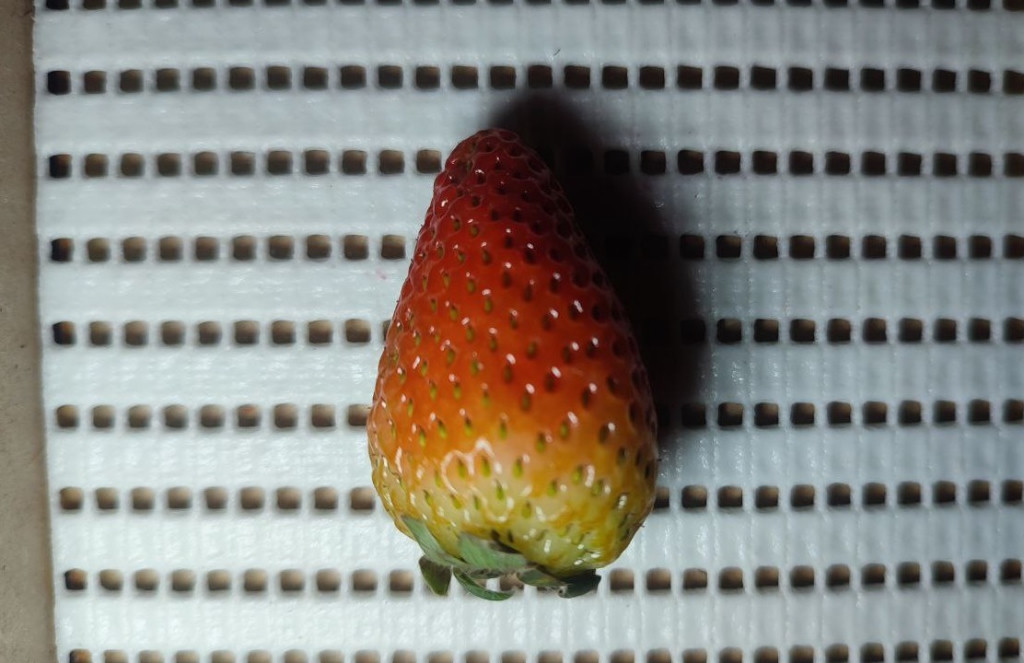
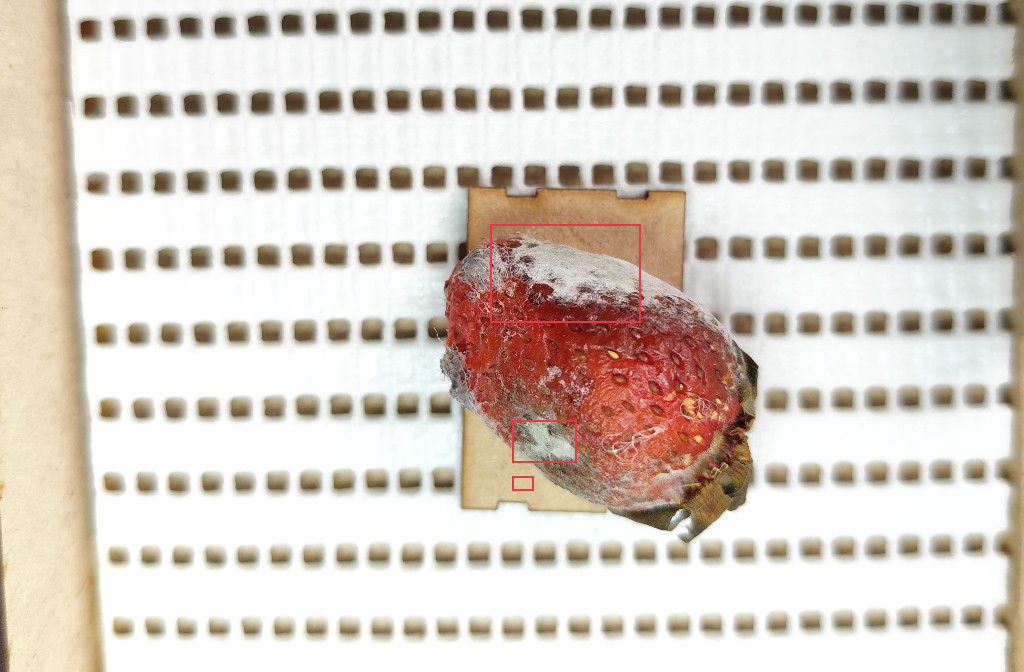
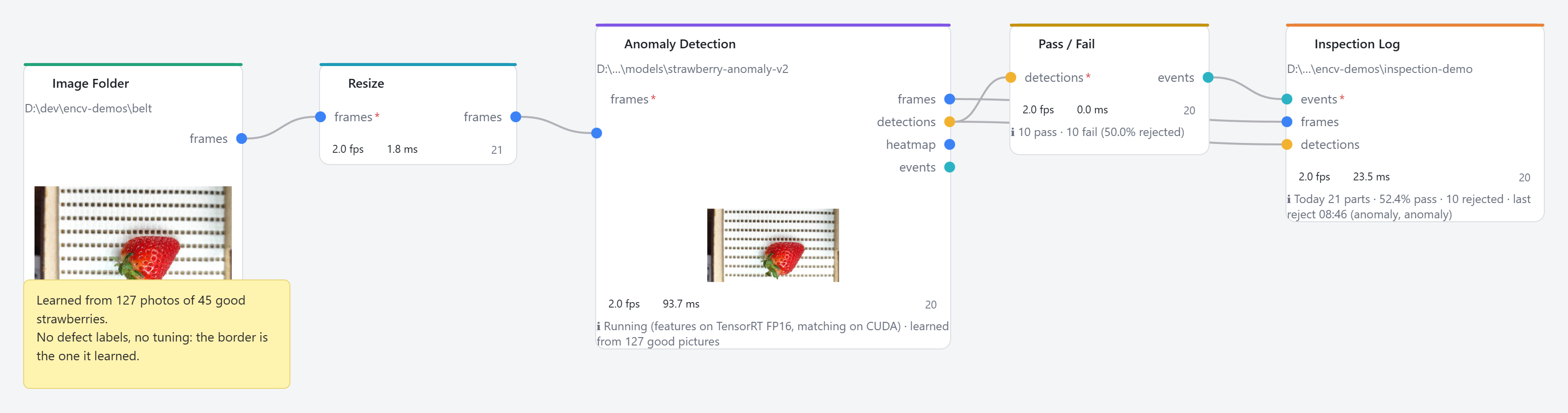
Most lines have plenty of good parts and few examples of each defect. So ENCV learns what good looks like. We collected photos of good strawberries on a conveyor belt with a Collect Dataset block, pressed Train, and connected Anomaly Detection to a Pass / Fail block.
We tested it on 15 good strawberries it had never seen and on every damaged one, at the threshold it learned by itself.
Mould and rot are clear defects, and these photos are clean. Small bruises, a new belt or other lighting need more good photos. You check them the same way, before the line relies on it.
Train a detector on your parts in minutes.
Import pictures labelled elsewhere, or draw boxes in ENCV with the model's suggestions to correct. Then press Train detector. It trains on your GPU, with no Python setup.
We trained on frames from one conveyor video and ran the result on a second video it had never seen. A Tracker and a Line Crossing block count what passes, and Record Video saves the result with the boxes drawn.
- Training
- 372 labelled frames, 6 classes, 17 minutes on an RTX 3060
- Model
- RF-DETR (Apache 2.0) on TensorRT, FP16
- Speed
- 7.9 ms per frame · 80 fps
- Output
- Boxes, counts, events to a PLC, MQTT or a CSV log
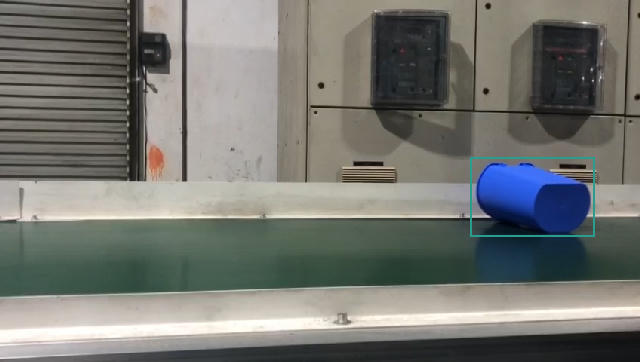
Same detector, same settings: one frame from the unseen video.
Every station is a drawing you can read.
Each block does one job, and the wires show where pictures and results go. Nothing is hidden, so a graph can be read, checked and repeated by someone else. This is the strawberry station as ENCV shows it.
Connect a camera
An RTSP or USB camera, a video, or a folder your camera saves into. A PLC signal can trigger each picture.
Add blocks
Clean up the picture, find defects or objects, measure sizes in millimetres, read barcodes. Settings change live while it runs.
Run it
Live on a line, PASS or FAIL goes to the PLC over Modbus TCP. On a folder, the same graph writes a CSV of every measurement and score for Excel, R or pandas, with the images it flagged saved beside it.
Runs where your images are, not in someone else's cloud.
Your PC, your data
Pictures, models and results stay on the machine. ENCV runs without an internet connection, so it suits closed networks, confidential parts and data you are not allowed to upload.
Fast on ordinary GPUs
A Rust engine, decoding on the GPU and TensorRT models. One graphics card can serve several cameras, or grind through a folder of thousands of images.
Ready for the line
Triggers from a PLC, PASS / FAIL back to it, a daily inspection log, reject photos and a station view with yield and reject counts.
Honest about numbers
16-bit pictures from thermal, depth and scientific cameras keep their real values instead of being flattened to 8-bit. Measurements come out in millimetres or microns against a calibration you set, and every step of the graph is visible, so a result can be explained and repeated.
For the people who point the camera.
R&D and lab teams
Microscopy, cell counting, segmentation and measurement in calibrated units. Train on a handful of annotated images, run the same graph over the whole dataset, and keep the parameters that produced a figure.
Machine-vision integrators
Prototype a station on the customer's own pictures in a day, then deliver the same graph to the line.
Quality and production engineers
Check a new defect, count rejects and adjust a threshold yourself, without a ticket to the IT department.
Install it and build your first graph today.
The beta is free. ENCV installs for your user only, so it needs no administrator rights and writes nothing outside your own folder. It tells you when a new version is ready and updates itself.
Version 0.2.2 · about 270 MB
- Needs
- Windows 10 or 11, 64-bit, with 8 GB of memory.
- GPU
- Runs on the processor alone.
- Installs to
- %LOCALAPPDATA%\ENCV Studio
Beta software. Check it on your own images before a production line or a published result depends on it. Tell us what you're working with and we will help you build the first graph.
Tell us what you're looking at.
Downloading needs nothing from you. But if you say what you are trying to find, count or measure, we will help you get the first graph working — and tell you honestly when ENCV is the wrong tool for it.
Windows · NVIDIA GPU recommended